New project
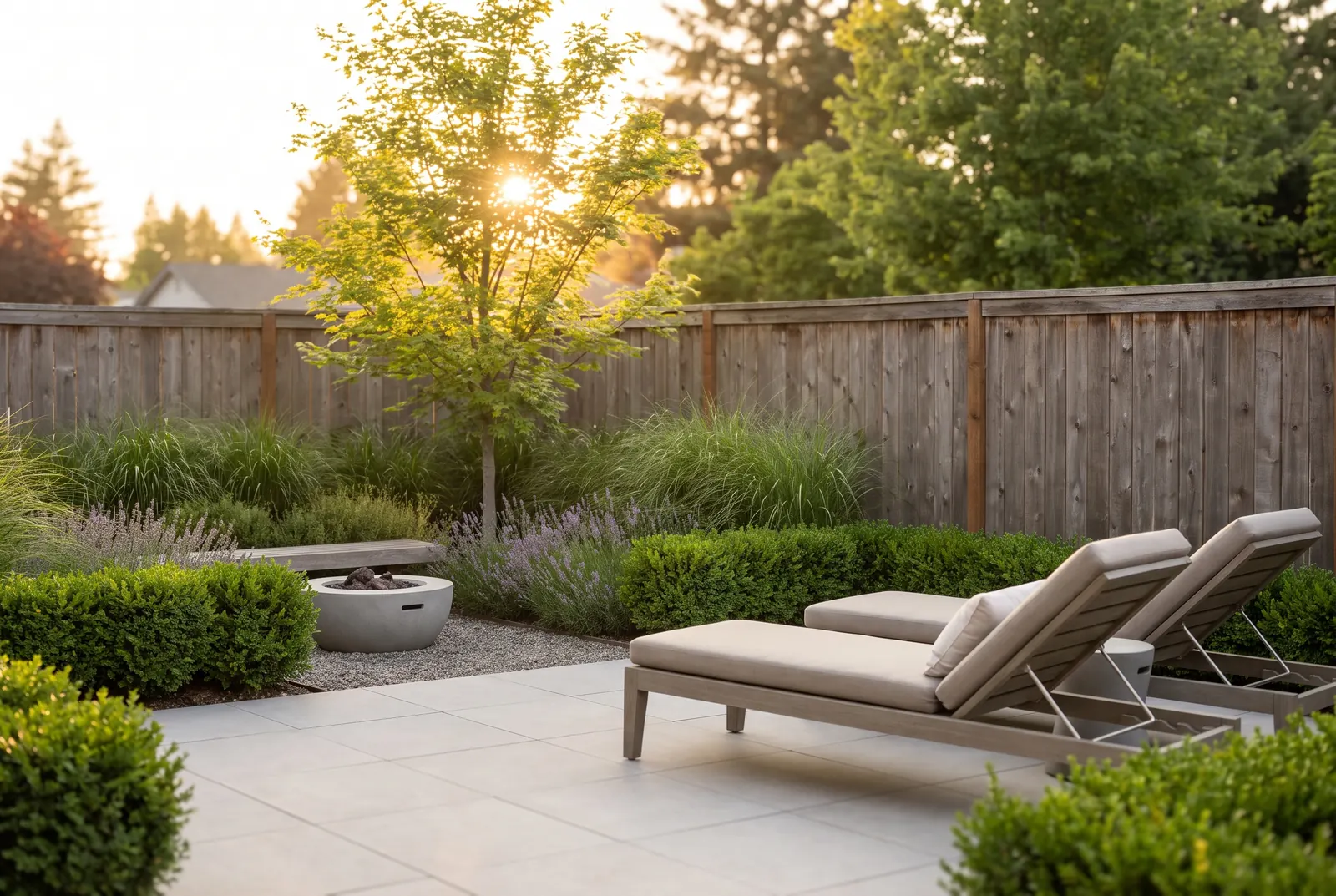
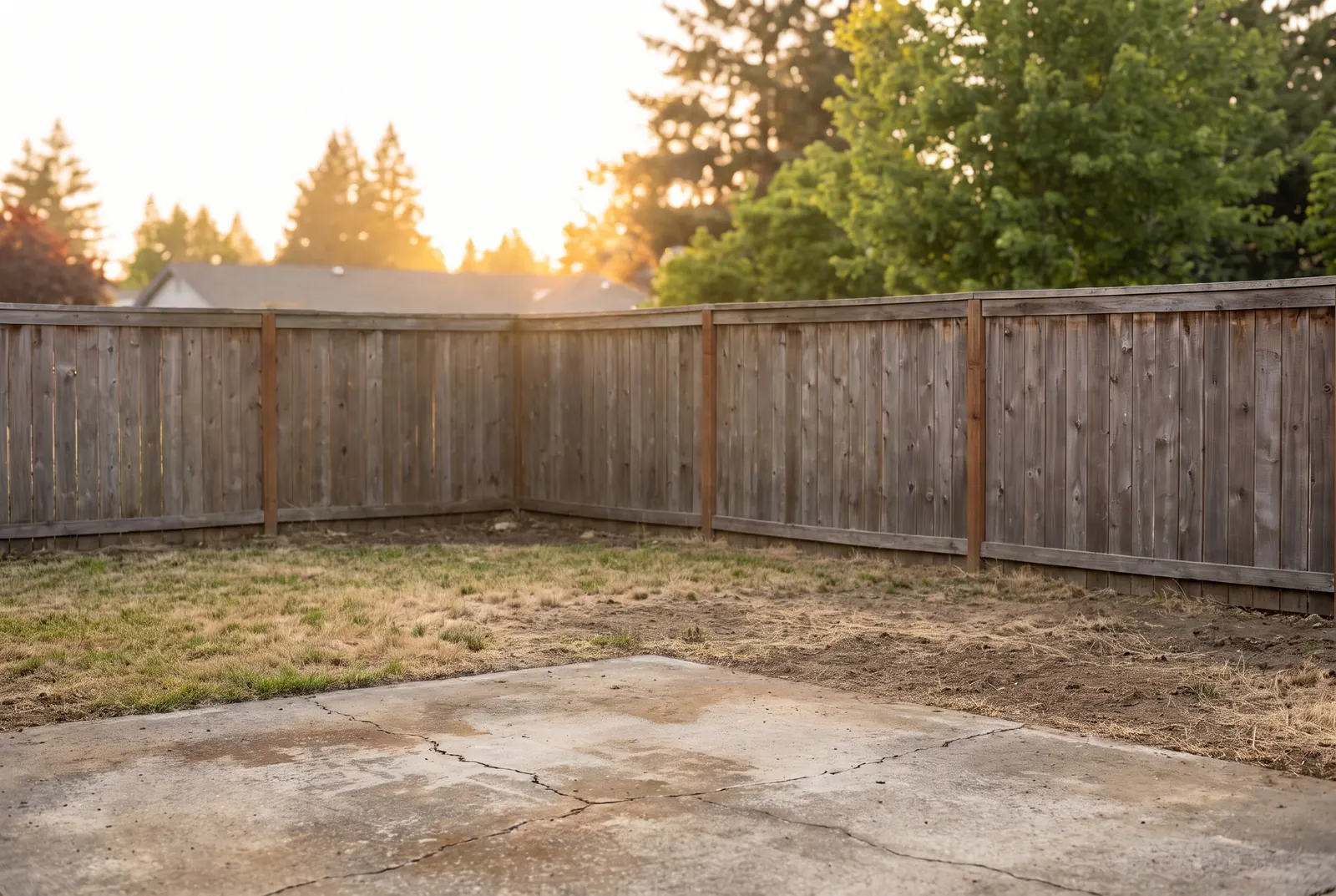
Upload a photo of your yard and see it as a new garden, backyard or front yard, with planted beds, patios, paths and places to sit in the style you pick.
AI garden design
Turn a photo of your yard into planted beds, paths and places to sit. Try cottage, modern, Japanese, Mediterranean, tropical or desert style, or describe your own, like "pollinator garden with native grasses". The tool is made to keep large trees, fences and the house; add "keep the existing trees" to the prompt to make that explicit. The picture is a design idea, not a planting plan, so ask a local nursery which plants grow well where you live.
AI backyard design
Add patios, decks, planting beds, lawns, paths, seating, fire pits, lighting or a pool to a photo of your backyard. Describe what you want, or pick the area and a style. Designing on a budget? Say so in the prompt, like "low-maintenance gravel and native plants" or "simple DIY patio with pavers". The tool is made to keep the house, fences and the shape of the yard as they are in your photo.
How AI landscape design works
- Upload a photo of your yard. Take it in daylight from where you usually look at the space, like the back door, a window or the sidewalk. JPEG, PNG and WebP files up to 10 MB work.
- Pick the area (backyard, front yard, garden, patio or pool area) and a style. Add a few words for anything specific, like "raised vegetable beds along the fence", or add a photo of a garden you like as the style reference.
- Generate. The result usually arrives in under a minute. Drag the slider to compare it with your yard, then download it or try another style.
The tool tells the AI to keep the house, the boundaries, the lie of the land and the camera angle, and to redesign what is in between: planting, paving, paths, furniture and lighting. Results are shown in daylight. Look over each one before you rely on it, because AI can still remove a tree you wanted or change a fence. Add "keep the existing trees" or "keep the fence" to your words, and generate again if something important went missing.
Landscape design styles and outdoor areas
- Backyard: lawn, planting, a patio and somewhere to sit.
- Front yard: a clear path to the door, tidy planting and lighting, for curb appeal.
- Garden: planted beds with flowers and shrubs, paths and a place to sit.
- Patio: paving, outdoor furniture, planters and lighting.
- Pool area: the pool surround, decking, loungers and planting.
- Modern: geometric beds, ornamental grasses and large concrete pavers.
- Cottage: abundant perennials, roses, curved beds and brick paths.
- Japanese: moss, maples, raked gravel, stones and a lantern.
- Mediterranean: olive trees, lavender, gravel and terracotta pots.
- Tropical: palms, large-leaf plants and lush, layered greenery.
- Desert: a dry garden of cacti, agave, succulents and gravel.
- A style reference: upload a photo of a garden you like, or pick one from the Inspiration gallery. The AI follows its plants, materials, furniture and mood, and is made to keep your yard's house, boundaries and terrain.
Front yard landscaping ideas from your own photo
The front yard is what people see first, and small changes there show. Stand across the street or at the end of the drive, take a photo with the whole front of the house in view, and pick Front yard. The AI works on the path to the door, the planting along the house and the lighting, and is made to keep the house itself as it is.
Try a few directions on the same photo: a low-maintenance front yard with gravel and grasses, a cottage border full of flowers, or a clean modern look with large pavers. To change the house as well, run the result through the Exterior Paint Visualizer to try a new siding or front door color. Each tool keeps what the other one changed.
Patio and pool area design
For a patio, pick Patio and describe how you want to use it: "dining table for six under a pergola", "fire pit with built-in benches" or "small paved corner with two chairs and potted herbs". For a pool area, pick Pool and say what you want around the water, like decking, loungers, shade or planting.
No pool yet? Pick Backyard and describe one, like "rectangular pool with a stone surround". It works best when the photo shows enough flat open ground. Treat the picture as a design idea: it does not account for slope, drainage, utilities or local rules, which a landscaper or pool builder will check.
Using AI for landscape design: where it helps
- Finding a direction: try modern, cottage and Japanese on the same photo before you spend anything on plants or paving.
- Talking to a landscaper: bring a picture of what you mean instead of describing it, so the quote starts from the right idea.
- Shopping at a garden center: show the staff the look and ask which plants give it in your climate.
- Phasing a project: design the whole yard, then decide which part to build first.
- For designers: make quick concepts from a client's own yard before drawing a plan.
Tips for a better garden design
- Shoot in daylight, on a clear or evenly overcast day, with the camera level.
- Include the edges: fences, walls and the back of the house tell the AI where the yard starts and stops.
- Mow and tidy first if you can. Toys, hoses and bins can end up redesigned as something else.
- Describe the feel and a few plant types, like "native grasses, lavender and a small olive tree", rather than a long list of species.
- One area per photo works best. Design the front yard and the backyard from separate photos, with the same style.
Free to start: Lite and Max
New accounts get free credits to start, and no card is needed. Current credit costs and plans are on the pricing page. You choose a quality level on every run. Lite is faster and uses fewer credits, which suits trying several styles on the same yard. Max gives sharper detail, closer to your photo, which helps with planting textures and paving. Use it for the picture you take to a landscaper.
To switch, open the result you like and press Regenerate. It loads the same photo and settings, so you only change the model. If a generation fails, its credits are refunded.
What AI landscape design can't do
- Make a planting plan: it does not give a plant list, quantities or spacing, and it does not check your climate or soil.
- Draw a site plan: the result is a photoreal picture, not a measured plan with dimensions.
- Engineer anything: slopes, drainage, retaining walls, pools and electrical work need a professional.
- Show the first season: the picture shows a finished, grown-in garden. New planting takes time to fill in.
- Get every detail right: a tree or a fence can change. Check the result and generate again if needed.
Frequently asked questions
What outdoor spaces can I design?
Backyards, front yards, gardens, patios and pool areas, in modern, cottage, Japanese, Mediterranean, tropical or desert style.
Can I get a plant list or a drawn plan?
Not yet. It shows a photoreal picture of the design, which you can take to a landscaper or garden center.
What photo works best?
A wide daylight photo taken from where you usually look at the yard, such as the back door or a window.
Which garden styles can I try?
Cottage, modern, Japanese, Mediterranean, tropical and desert, or describe your own, like "pollinator garden with native grasses".
Will the plants suit my climate?
The picture is a design idea, not a planting plan. Ask a local nursery which plants in the look you like grow well where you live.
What can it add to my backyard?
Patios, decks, planting beds, lawns, paths, seating, fire pits, lighting and pools. Describe what you want, or pick an area and a style.
Will it keep the fence and the house?
That is what it is made to do: it keeps the house, fences and the shape of the yard as they are in your photo. Check each result, because AI can still shift a detail.
Can I design my front yard?
Yes. Pick Front yard and take the photo from the street or the end of the drive, with the front of the house in view. The AI redesigns the path, planting and lighting and is made to keep the house as it is.
Can I use a photo of a garden I like?
Yes. Add it as the style reference, or press "Design this" on an outdoor idea in the Inspiration gallery. The AI takes its plants, materials and mood and applies them to your yard.
Does it work on a bare or new-build yard?
Yes. A bare yard leaves the most room for ideas. Make sure the fences or boundaries are in the photo, so the design stays inside them.